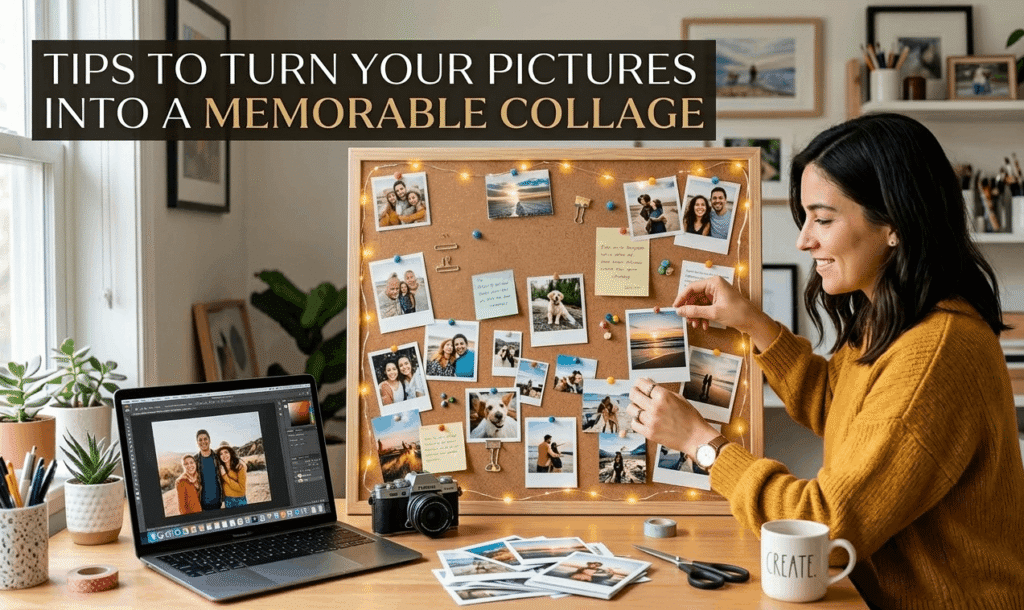

By Priya Menon | Visual Content Strategist & Photography Educator | Updated March 2026
Here’s a number that should stop you mid-scroll: 1.81 trillion photos were taken worldwide in 2024. That’s roughly 57,000 pictures snapped every single second of every single day. And yet—how many of those photos have you actually looked at since the moment you took them?
If you’re anything like most of us, the answer is painfully few. Your camera roll is a graveyard of forgotten Tuesday lunches and blurry concert footage. But buried in that chaos are genuine moments—your kid’s first bike ride, that sunset in Goa, the look on your best friend’s face when you showed up unannounced. Turning those scattered pictures into a memorable photo collage is one of the simplest ways to rescue those moments from digital oblivion.
I’ve been teaching visual storytelling workshops for over a decade, and I can tell you this: the difference between a forgettable grid of photos and a collage that makes people tear up isn’t talent. It’s intention. In this guide, I’ll walk you through exactly how to turn your pictures into collages that people actually want to hang on their walls, share on Instagram, or tuck into a gift box.
A photo collage is a curated arrangement of multiple images—combined with optional text, graphics, or decorative elements—designed to tell a unified visual story. Unlike a simple photo grid, a memorable collage uses deliberate composition, color harmony, and emotional sequencing to transform individual snapshots into a cohesive narrative. According to research published in the Journal of Creative Arts Therapies, the act of arranging photographs into a collage engages both cognitive reflection and emotional processing, making it one of the most accessible forms of visual storytelling available to non-artists.
Page Contents
Why Most Photo Collages Fall Flat (And What’s Actually Going Wrong)
Let me be blunt. Most photo collages are boring. Not because the photos are bad—but because people treat collage-making like a math problem: pick eight photos, drop them into a grid, done. That approach gives you something that looks like a contact sheet from a photo lab, not a piece of visual art you’d want framed above your couch.
The root issue? We’re drowning in images but starving for curation. WhatsApp users alone share roughly 6.9 billion photos every day. Instagram sees 275 million daily uploads. When everything gets photographed, nothing feels special—unless you deliberately make it special.
And here’s the kicker: research from Venngage’s 2024 visual content marketing report found that over 50% of content creators say their biggest struggle is choosing the right layout for their images. It’s not a you problem. It’s an everyone problem.
Three years ago, the default advice was “just use a template.” And sure, templates from tools like Canva, Adobe Express, or PicCollage are a fine starting point. But the collage landscape has shifted dramatically since then. AI-powered layout suggestions, freeform canvas editors, and even mixed-media digital collage tools mean you have more creative freedom than ever—which also means more ways to make a confusing, cluttered mess if you don’t know what you’re doing.
The real problem isn’t the tools. It’s that nobody teaches the thinking behind a good collage. What makes certain image combinations feel magical while others feel random? Why does that vacation collage your cousin posted make you feel nostalgic even though you weren’t on the trip? That’s what we’re about to break down.
The 5-Step Collage Framework: From Scattered Photos to Visual Story
I’ve spent years refining what I call the STORY Framework for building collages that actually resonate. It stands for Select, Theme, Organize, Refine, Yourself. Let’s walk through each stage.
Step 1: Select — Ruthless Curation Is Everything
This is where 90% of people go wrong. They dump 40 photos into a collage maker and wonder why it looks chaotic. Here’s my rule: start with three times the photos you think you need, then cut two-thirds.
Pull up your camera roll and look for images with genuine emotional weight. Not the “pretty” shots—the real ones. The candid laugh, the messy kitchen after a birthday party, the handwritten note on a napkin. A study published in the National Center for Biotechnology Information (NCBI) on digital photocollage with older adults found that participants consistently gravitated toward images representing “the most meaningful themes in their life story”—not the most aesthetically polished ones.
Quick test: if you can’t explain in one sentence why a photo matters to you, it probably shouldn’t make the cut. For a standard 8-12 image collage, I recommend curating down from about 30 candidates. Painful? Yes. Worth it? Absolutely.
Step 2: Theme — Give Your Collage a Heartbeat
Every memorable collage has an emotional throughline. It doesn’t need to be complicated. “Our first year in the new house.” “Mom turns 60.” “The summer everything changed.” That’s your theme.
Now—and this is the part most tutorials skip—your theme should dictate your color palette. A beach vacation collage should lean into blues, sandy tans, and warm sunset oranges. A cozy winter holiday? Deep reds, forest greens, warm golds. According to PicCollage’s design team, using consistent filters or a limited color palette is one of the fastest ways to make a collage feel intentional rather than thrown together.
I learned this the hard way during my daughter’s first birthday collage. I crammed in every single photo from the party—indoor shots under fluorescent lights, outdoor golden-hour candids, blurry phone photos from relatives. The result looked like a ransom note. When I pulled back and chose only the warm-toned outdoor shots, the whole thing transformed. Same photos, completely different feeling.
Step 3: Organize — Layout Is the Secret Language of Collage
Here’s where your collage goes from “photos on a page” to something people actually feel. The layout you choose communicates mood before a single image registers in the viewer’s brain.
Grid layouts (think Instagram’s classic nine-square) signal order, symmetry, and polish—great for milestones or professional portfolios. Freeform or organic layouts feel spontaneous and personal, perfect for travel memories or friendship collages. Overlapping or layered arrangements create depth and energy, ideal for action-packed events or creative projects.
One technique I swear by: place your anchor image first. This is the single strongest photo that captures the essence of your theme. Make it the largest element—usually occupying about 30-40% of the total canvas. A researcher studying photocollage in creative arts therapy at the University of Haifa noted that participants naturally placed “the most important photograph at the center,” using surrounding images to build narrative context around that focal point. The same principle works for your weekend trip collage or wedding recap.
Then arrange supporting photos around it. Alternate between close-ups and wide shots, people and places, action and stillness. This variety keeps the eye moving—which is exactly what you want. A collage that the viewer’s gaze skips across in half a second has failed. A collage where their eyes linger and wander? That’s the one that ends up framed.
Step 4: Refine — The Details Nobody Notices (But Everyone Feels)
Spacing. Borders. Shadows. Filters. These feel like minor tweaks, but they’re the difference between “nice collage” and “who made this? I want one.”
White space is your best friend. Crowding every pixel with imagery creates visual claustrophobia. Leave breathing room between photos—even just 4-8 pixels of padding makes a dramatic difference. Tools like Canva and Pixlr now offer automatic spacing suggestions that handle this for you, but understanding the why behind spacing matters more than any auto-tool.
Apply a single, subtle filter across all images. This is the fastest cheat code for visual cohesion. Even if your source photos were shot on three different phones in five different lighting conditions, a unified warm tone or soft matte filter ties them together like they belong. Adobe Express, for instance, lets you apply photo-level edits within the collage editor itself—crop, rotate, filter—without leaving your layout.
And text? Keep it minimal. A date, a name, a short phrase. “Summer 2025” or “The Kapoor Family” is plenty. I’ve seen gorgeous collages ruined by three paragraphs of sentimental text crammed into a corner. Let the photos do the talking.
Step 5: Yourself — Inject What Makes It Yours
This is the step that separates forgettable collages from the ones people revisit years later. It’s also the step no collage-maker tutorial will tell you about, because it can’t be templated.
Add something only you would think to include. A screenshot of the group chat where you planned the trip. A photo of the parking ticket you got on the way to the concert. The doodle your kid drew on the back of a receipt. These imperfect, unglamorous elements are what make a collage feel human rather than algorithmic.
The 2025 trend in collage design has moved sharply toward authenticity—unfiltered, candid, real-life moments over polished perfection. Google Trends data shows that search interest for “photo collage” peaked at 100 (its highest possible score) in December 2025, driven largely by people wanting to create genuine year-in-review content rather than curated highlight reels. People are hungry for real.
Best Collage Tools Compared: Free Apps vs. Pro Software vs. AI-Powered Options
Can you really turn your pictures into a beautiful collage without spending a dime? Yes. But should you always go with the free option? Not necessarily. Here’s an honest breakdown after testing over a dozen tools in early 2026.
Free Online Collage Makers: Canva, Adobe Express, Google Photos
Canva remains the gold standard for free collage creation. Thousands of customizable templates, drag-and-drop editing, and real-time collaboration make it ridiculously accessible. The free tier gives you more than enough for personal projects. Where it falls short: advanced photo editing within the collage canvas still feels limited compared to dedicated editors.
Adobe Express (formerly Adobe Spark) has closed the gap significantly. Its standout feature is in-canvas photo editing—think Photoshop-lite adjustments like background removal, filters, and cropping without leaving your layout. For anyone already in the Adobe ecosystem, it’s a natural choice.
Google Photos collage feature is the simplest option. Select up to six photos, choose a template, and you’re done in under a minute. It’s perfect for quick social media posts but limited if you want creative control. The real power of Google Photos lies in its AI-powered search—ask it “show me landscape photos from 2025” and it’ll surface exactly what you need before you even start designing.
Dedicated Collage Apps: PicCollage, Pixlr, Fotor
If collage-making is your specific goal (not general graphic design), dedicated apps offer features the all-purpose tools don’t. PicCollage stands out for its cutout tool—the ability to automatically extract subjects from backgrounds and layer them freely, which creates that scrapbook-meets-modern-art aesthetic. Its video collage templates also let you blend still photos with clips, adding music and custom transitions.
Pixlr’s collage maker suggests templates based on the number of photos you upload and works entirely in-browser—no download required. It’s the fastest route from “I have these seven photos” to “here’s a finished collage.”
AI-Powered Collage Tools: What’s Changed in 2025-2026
This is where things get genuinely interesting. AI collage tools can now auto-select your best photos from an album, suggest complementary color palettes, and generate layout variations in seconds. Tools like Recraft are even letting users mix their own photographs with AI-generated imagery—think adding a stylized illustrated border or surreal background elements to real photos.
Honestly? I’m a bit skeptical of the fully-automated collage approach. The best collages are personal, and handing curation entirely to an algorithm strips away the intentionality that makes a collage meaningful. My recommendation: use AI for the tedious parts (auto-cropping, background removal, layout suggestions) but keep the creative decisions—which photos, what story, what feeling—firmly in your own hands.
When a Collage Beats Every Other Format (And When It Doesn’t)
Photo collages aren’t just arts-and-crafts projects. They’re one of the most effective visual communication formats across personal and professional contexts—and the data backs this up.
On social media, multi-image carousel posts (which are essentially interactive collages) generate dramatically higher engagement than single images. Buffer’s 2025 analysis of millions of posts found that carousel-style content on LinkedIn earned 303% more engagement than single images and 596% more than text-only posts. Instagram carousels follow a similar pattern—once someone swipes to the second slide, they’re far more likely to view the entire sequence.
But the emotional impact goes deeper than engagement metrics. Research published through the National Center for Biotechnology Information found that the process of creating a photocollage engaged older adults in “an embodied sensorial experience,” supporting emotional reflection and narrative building in ways that individual photos couldn’t replicate. Participants reported feeling “movement and flow” in their collages—a sense that the arranged images created something greater than the sum of their parts.
Where Collages Shine
Personal milestones: Weddings, graduations, anniversaries, baby’s first year. A single photo captures a moment; a collage captures the feeling of a whole chapter.
Travel recaps: Instead of dumping 200 photos on Facebook, a thoughtfully composed travel collage can communicate the entire experience in a single glanceable image. PicCollage recommends mixing wide landscapes with close-up details—the market stall next to the mountain vista—to create narrative depth.
Small business marketing: Product collages showing multiple items together help customers visualize options without clicking through individual listings. E-commerce brands using multi-image layouts see measurably higher engagement than single product shots.
Education and classroom projects: Teachers use topic collages for vocabulary, history, and science lessons. Students creating collages engage with material through visual arrangement, which research suggests improves retention and comprehension.
When a Collage Isn’t the Right Choice
This won’t work for everyone or every situation. If you have one stunning hero image—a perfectly composed portrait, a breathtaking landscape—let it stand alone. Cramming it into a collage dilutes its impact. Similarly, if you’re working with photos that have wildly different resolutions (a crisp DSLR shot next to a 2012 Android photo), the quality gap will be distracting no matter how clever your layout.
And for professional photography portfolios, resist the urge to showcase everything at once. A clean, single-image presentation typically communicates more confidence than a dense collage—unless the collage itself is the artistic statement.
What the Research Actually Tells Us About Visual Memory and Collage
Here’s something fascinating that I don’t see discussed enough in the collage-making space. MIT researchers have demonstrated that the human brain can recognize an image in as little as 13 milliseconds. But recognition isn’t the same as memory. What makes an image stick—what transforms a photo from “seen” to “remembered”—is context and connection.
That’s exactly what a well-made collage provides. By placing images in relationship with each other, you’re creating visual context that doesn’t exist in any single photo. The beach photo next to the restaurant photo next to the laughing photo doesn’t just show three scenes—it reconstructs the experience of that day. Your brain fills in the gaps between images with sensory memory: the sound of waves, the taste of that meal, the warmth of that laughter.
Cognitive psychology research supports this—humans are wired to respond to environmental context, facial expressions, and spatial relationships between visual elements. When you arrange photos into a collage, you’re essentially building a memory palace out of images. And that’s why a great collage feels like stepping back into a moment, while a random photo folder feels like opening a filing cabinet.
Common Questions About Making Photo Collages
How many photos should I use in a collage?
For most purposes, 5 to 12 images hit the sweet spot. Fewer than five can feel sparse unless you’re going for a minimalist aesthetic. More than 15 and individual photos lose impact—they become thumbnails rather than stories. If you have more photos than that, consider making a series of collages rather than packing everything into one.
What’s the best size for printing a photo collage?
For wall display, 16×20 inches or larger gives each photo enough real estate to be clearly visible. For Instagram or Facebook sharing, square (1080×1080) or portrait (1080×1350) formats perform best. Always export at the highest resolution your tool allows—you can always scale down, but you can’t scale up without losing quality.
Can I mix photos from different devices and cameras?
Absolutely—but apply a unifying filter across all images to smooth out differences in color temperature and exposure. Most free collage tools (Canva, Adobe Express, PicCollage) let you apply identical adjustments to every photo within the same project. This single step transforms a mismatched collection into a cohesive set.
Should I use templates or design from scratch?
Templates are a great starting point, especially if design isn’t your strength. But don’t treat them as locked containers—the best results come from using a template as a structural foundation, then customizing photo sizes, spacing, and arrangement until it feels right. As of 2026, most major tools offer both template and freeform canvas options, so you’re not forced to choose one approach exclusively.
Making It Stick: Your Collage Action Plan
Here’s what I want you to do today—not next week, today. Open your camera roll and find 20 photos from a single event or time period that matters to you. Apply the STORY Framework: Select the best 8-10, identify your Theme, Organize them around an anchor image, Refine with consistent spacing and a unifying filter, and add one element that’s uniquely Yourself.
Use whichever tool feels comfortable—Canva if you want flexibility, Google Photos if you want speed, PicCollage if you want creative cutout effects. The tool matters far less than the intention behind it.
Because at the end of the day, a photo collage isn’t really about photos. It’s about deciding which moments deserve to be remembered together. It’s about saying this day, these people, this feeling—this mattered. And when you get that right, you won’t just have a collage. You’ll have a time machine made of pixels.
Sources & Further Reading
• Venngage Visual Content Marketing Statistics Report (2024)
• Buffer: Best Content Format on Social Platforms (2025)
• PMC/NCBI: “Crafting Life Stories in Photocollage” — Journal of Creative Arts Therapies (2022)
• MIT: Rapid Image Recognition Research (2014)
• Google Trends: “Photo Collage” Search Interest Data (2024–2025)
• Accio Market Research: Photo Collage Trend Report (2025)